
Food & Drink -- 6 days ago

High-performance laptops once treated battery life as collateral damage. Recent advances have softened that trade-off, though expectations still need adjusting.
Gaming laptops are a bit like very clever undergraduates with expensive habits. Give them structure, boundaries and a steady supply of power, and they are brilliant. Leave them to their own devices, ask them to perform miracles on an empty stomach, and they fold in roughly two hours while making a great deal of noise about it.
If you have looked at a Razer Blade 16, Aorus Master 16, Legion 9i, Predator Helios 18 AI, Zephyrus G16 or MSI Stealth A16 AI+ and wondered whether they will survive a day on campus without permanent attachment to a wall socket, you are asking the right question. The answer is nuanced. Under the wrong circumstances, these things drain battery like a first year at an open bar. Under the right ones, they are surprisingly well-behaved.
Let us separate the hysteria from the hardware.

Start with the worst case, because it is the most fun.
A modern gaming laptop is built around two large, hungry components: a high core count CPU and a dedicated GPU that exists solely to throw absurd numbers of pixels around at high speed. Pair those with a bright 16 or 18-inch display running at a few hundred hertz, and you have created, in essence, a portable space heater that also happens to run Cyberpunk 2077.
When you unplug the charger and ask this ensemble to play a modern game at respectable settings, you are asking a 99-watt-hour battery to supply hardware that would happily draw several times that if the power brick allowed it. Even with the usual battery profiles and power caps in place, the maths is not kind.
On machines like the Razer Blade 16 with RTX 5090 graphics, the Aorus Master 16, or Acer's Predator Helios 18 AI, real world gaming battery life tends to hover around the ninety minute to two and a half hour mark. That is considered good. Older models managed less. Some barely staggered past an hour if you insisted on high brightness and generous frame rates.
The experience is perfectly usable for a train journey or a quick lunchtime match. It is not the correct strategy for a long weekend away from sockets. If your vision of portable gaming involves six-hour sessions in a park, you are either bringing an external battery the size of a paving slab or you are living in denial.
This is not a flaw. It is simply the inevitable result of giving laptop hardware talents better suited to a small desktop and then asking it to run on a finite supply of electrons.
Now for the part that does not fit the cliché.
The same machines that flatten their batteries under load have become rather civilised when used as general computers. If you spend most of your day browsing the web, writing essays, editing the odd document and sitting through video calls, you are not hammering the RTX GPU. You are barely troubling the CPU. Under those conditions, the power draw drops from "enthusiastic" to "reasonable" and the modern crop of gaming laptops starts to look suspiciously like competent all-rounders.
Take the MSI Stealth A16 AI+. On paper, it is overqualified: a Ryzen AI processor, a dedicated RTX graphics chip and a battery nudging the airline limit at 99.9 watt hours. Treat it like a workstation, and it behaves like one, fans and all. Put it into its quiet or eco profile, hand it lecture notes and a browser instead of a benchmark, and suddenly it will make it through large portions of a day without collapsing.
Asus' Zephyrus G16 has built a small cult around this ability. It pairs efficient silicon with a refined cooling system and a lovely OLED display. Reviewers who resist the urge to run games during every battery test routinely see seven, eight, sometimes nine hours of mixed light tasks. Not thin and light territory yet, but certainly enough to last a day of seminars with one discreet top-up
Even the larger and louder Legion 9i and Blade 16 show their good side when you corral them into balanced modes, dim their extravagant displays and let the integrated graphics handle the mundane work. Where their predecessors might have spluttered to a halt after a few hours of simple productivity, the latest generation can now browse, stream and type for a decent stretch before groaning.
The crucial distinction is simple. Are you genuinely gaming and rendering, or are you mostly reading, writing and watching? The answer tells you whether your battery life will be measured in robust hours or theatrical acts.
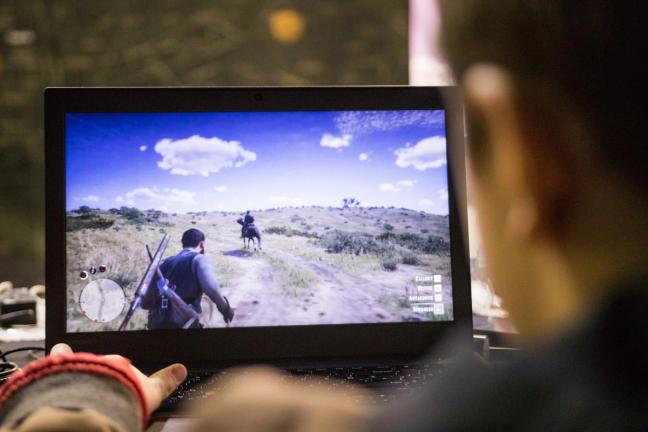
To understand the behaviour, you need to look at the three main culprits, plus one political constraint.
First culprit: the GPU. A dedicated graphics chip in the RTX 4080 to 5090 range is designed to do serious work. On mains power, it can consume more energy than a reasonable desk lamp all by itself, and while laptop manufacturers rein that in on battery, it is still a thirsty component. Nothing destroys battery life like asking a high-end GPU to run a modern game at ambitious settings. You are effectively routing juice straight from the cells into the fans.
Second culprit: the CPU. High core count processors used in the more decadent machines, especially the HX badge variants, are built to handle workstation-style loads. Video exports, code compiles, simulations and physics calculations are exactly what they were made for. That strength comes at a cost. Allow all cores to run at full pelt, even for a few minutes, and you will see the battery gauge move in real time.
Third culprit: the screen. Those beautiful panels you admired in the shop are not decorative. A 16 or 18-inch QHD or 4K display, running at 165 or 240 hertz, perhaps with an OLED or Mini LED backlight, is a major draw on its own. Turn the brightness up in a well-lit room and use the full refresh rate, and the display alone will put a sizeable dent in your endurance figures.
Finally, the external constraint: battery capacity. Manufacturers cannot simply cram a car battery into the chassis and call it a day. Air travel regulations cap batteries at just under 100 watt hours if you want to keep them in the cabin without drama, and most large gaming laptops already sit at that limit. The headroom now comes from efficiency, not size.
Put all of this together, and you have a machine where the top-end power draw dwarfs what the battery was ever designed to handle for long.
The reason things have improved at all is that gaming laptops have learned when to relax.
Older models often ran the discrete GPU all the time. Even simple tasks were passed through the gaming hardware, which gave you lovely, smooth windows and a deeply embarrassing battery chart. Hybrid graphics have largely solved that. On many 2024 and 2025 machines, the integrated GPU now handles the dull stuff. Only when you open a game, a 3D package, or a heavy editing project does the RTX chip wake up.
On systems like the Legion 9i, Zephyrus G16, MSI Stealth A16 AI+ and the latest Blades, you can choose between dedicated GPU, hybrid and battery saving modes. The differences are not subtle. Leave the RTX hardware engaged permanently, and you will be hunting for a socket long before the day ends. Let the machine switch intelligently, and the same battery suddenly feels several sizes larger.
Power profiles then sit on top of this arrangement. Performance modes are for when you are plugged in and determined to make the fans earn their keep. Balanced modes are the default compromise. Eco or quiet modes cap both CPU and GPU power, soften the fan curves, and often drop the screen refresh rate as well. On battery, this is where you belong most of the time. It is the bureaucratic framework that prevents your portable leviathan from behaving like a power tool in a seminar.

If you are determined to use a gaming laptop as a daily driver for study or work, a few small habits go a long way. None of them is glamorous. All of them are annoyingly effective.
Enable hybrid graphics. Make sure the option that favours the integrated GPU is on whenever you are not plugged in. It may live in the BIOS, in a vendor utility, or in your graphics control panel. Once set, your laptop will only wheel out the dedicated GPU when something genuinely deserves it.
Choose an eco or quiet power profile on the battery. It may sound defeatist, but these modes slash the energy budget for CPU and GPU, tame the fans, and often adjust the screen refresh rate automatically. For documents, browsing and streaming, you will not miss the extra performance. You will notice the extra hours.
Tame the display. Lock the refresh rate to 60 or 120 hertz when mobile, rather than leaving it at 240. Reduce brightness to the point where you can still read comfortably without auditioning for a tanning salon. Turn off unnecessary HDR in grimly lit seminar rooms. Your RTX card will thank you; so will your eyes.
Kill needless background glamour. RGB lighting looks appealing at night and faintly absurd in a lecture theatre. It also costs power. Turn the keyboard glow down or off, close any launchers that are polling game libraries in the background, and stop running monitoring overlays you do not need. Each small change barely moves the needle, but together they push you towards the top of the quoted battery range instead of the bottom.
And, perhaps most obvious of all, do not game on battery if you can avoid it. Save the heroic frame rates and ray tracing for moments when you have a socket nearby. Unplugged time is for light work and gentle entertainment, not for stress testing the cooling system.
If your laptop will spend most of its life plugged in, sitting on a desk pretending to be a compact desktop, battery behaviour is largely academic. Short sessions away from mains are fine, and a charger within reach takes the drama out of everything else. For that use case, a Legion 9i or Predator Helios 18 AI is a perfectly reasonable life choice.
If you carry the machine between lectures, libraries and cafes and expect it to last through an eight-hour day with no guaranteed access to sockets, you need to be more thoughtful. Smaller, more restrained models like the Zephyrus G16, MSI Stealth A16 AI+ or the latest Razer Blade 14 are a better fit. They still drain themselves rapidly under gaming workloads, but in their lower power modes, they can pull off most of a working day doing light tasks.
If you are the sort of person who routinely spends ten hours working away from power and regards chargers as an optional extra, then a gaming laptop probably is the wrong category entirely. Thin and light machines with frugal processors and modest integrated graphics exist precisely for you. No amount of hybrid graphics or AI marketing will turn an RTX 5090 into a miser.
So yes, gaming laptops still drain their batteries quickly when they behave like gaming laptops. Ask a Razer Blade 16, Aorus Master 16, Legion 9i or Predator Helios 18 AI to deliver desktop-level performance on battery, and they will sprint magnificently for an hour or two, then drop to one knee and reach for the charger.
The difference in 2025 is that they no longer behave quite so dramatically when you do not provoke them. With hybrid graphics engaged, restrained power profiles selected and a little moderation in screen settings, the same machines can act with decorum during the day and reserve their excesses for when they are safely tethered to the wall.
Treat performance modes as anon-mainss indulgence rather than a permanent lifestyle, let the integrated GPU handle your essays and spreadsheets, and you will find that your portable battleship can manage a respectable stint away from harbour. Ignore all of that, leave every setting on maximum at all times, and you will indeed become intimately acquainted with every power socket on campus.
To receive the latest in style, watches, cars and luxury news, plus receive great offers from the world’s greatest brands every Friday.