
Cars -- 14 days ago

Building a DIY golf simulator begins with space, patience and a touch of technical curiosity. The reward is a corner of the house that feels like your own private driving range, minus the wind and the waiting.
For most golfers, the practice range sits resolutely outdoors, exposed to weather, opening hours and the faint humiliation of topping a drive in front of strangers. At some point, usually somewhere between the third rain-lashed Saturday and the fourth politely soul-destroying corporate round, the idea presents itself: perhaps the range could come to you. The phrase how to diy golf simulator wanders into your search history, and before you know it, you are standing in a garage, measuring the ceiling with the grave intensity of a planning inspector.
This is where fantasy must meet engineering. A home golf simulator is not simply a net, a mat and blind optimism. Done properly, it is a small theatre of controlled violence. Balls are struck at significant speed in close proximity to furniture, windows, technology and people you claim to care about. The aim, therefore, is not just to recreate the experience of the course. It is to do so with enough care and craft that the neighbours never need to become involved.
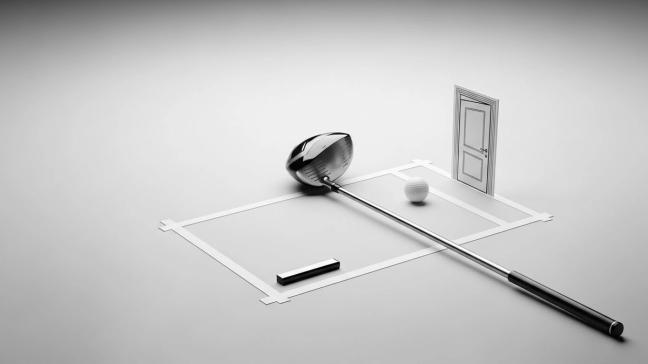
Before you buy a single piece of equipment, you must reckon with geometry. The room is not a neutral backdrop. It is a co-conspirator.
Ceiling height comes first. You need enough headroom to swing your longest club without either self-decapitation or plaster dust. For most players, a ceiling around nine feet is the bare minimum. Ten or eleven feet is more comfortable and more forgiving of slightly enthusiastic backswings. Taller players and those with a particularly upright motion should err on the generous side.
Width is the next constraint. You are not simply fitting yourself in, you are also accommodating ball flight, club path and the occasional spectacular heel cut. A space around three metres wide begins to feel civilised. It allows you to stand centrally, hit towards an impact screen and still have enough room on either side for side netting. Anything narrower is possible, but you may find yourself rehearsing a rather constrained version of your usual game.
Depth is equally important. You need space from the ball to the screen and from the ball to the back wall. Too little and the experience feels cramped. Allow a comfortable distance from your stance position to the impact screen so the ball has time to fly and the launch monitor has room to observe it. Behind you, keep enough clearance that your backswing does not interact with a wall, a car or a collection of sentimental objects that you would rather not smash.
Think about handedness. If you are left-handed, or if the simulator will be shared by both left and right-handed players, the hitting area must be positioned to accommodate both. This affects where you place the screen, the mat and any launch monitor that sits beside, rather than behind, the player. It is better to solve this on paper than discover, with a wedge in hand, that the beautiful frame you built is optimised exclusively for someone else.
Lighting matters too. The room needs enough light for you to see your clubs and stance, but not so much that it washes out the projected image. Adjustable or zoned lighting is ideal. Overhead spots near the screen can be dimmed, and lights near the hitting area kept bright. Curtains or blinds that can banish outside glare are not a luxury. They are part of the system.
Once you have a room that will not kill you, you can start assembling the parts that will make it feel like golf rather than a field exercise. Every simulator, from the most lavish to the most improvised, revolves around a few essential components.
First, a launch monitor. This unassuming box is the quiet intelligence service of the setup. It tracks club and ball as they part company, measures speed, spin and angle, then hands the data to your software. Some sit behind you and use radar, others sit in front or to the side and use high-speed cameras. Placement is not optional. It must be where the manufacturer intended, at the correct distance and height, on a stable surface. Treat the instructions as doctrine, not suggestion.
Second, an impact screen or net. A proper golf impact screen is designed to absorb repeated full-speed strikes without tearing, fraying or behaving like a trampoline. It also doubles as a cinema screen for your projected image. A plain net can be cheaper and quieter, but lacks the cinematic pleasure of seeing ball flight rendered across a fairway rather than on a monitor in the corner. Many people combine both, with a screen in front and netting behind and around it as insurance.
Third, a hitting mat. This is where your joints will either be protected or quietly sabotaged. Good mats offer enough resistance to feel like turf, without the concrete thud that turns practice into physiotherapy. They should accept a tee, sit flat, and blend sensibly into whatever flooring you choose around them. Ideally, the surface from ball to screen is one continuous plane. That way, any ball that returns along the ground does so in a predictable, ankle-friendly fashion.
Fourth, a display system. The most immersive choice is a short-throw projector mounted from the ceiling or behind the player, aligned carefully so that the image fills the impact screen without distortion. This demands careful work with mounts, distances and alignment, but the result is transportive. On more restrained builds, a large television or monitor placed safely to one side can serve perfectly well. You strike the screen or net, then glance sideways to watch the ball’s virtual career unfold.
Fifth, a computer, laptop, or console running the simulator software. This is the unseen stage manager. It receives data from the launch monitor, calculates the shot, draws the course and handles all the scoring and practice modes. The exact hardware and software combination will depend on the launch monitor you choose, but the rule is the same. It must be powerful enough to keep up, connected tidily, and placed where you can reach it without crawling around on the floor between shots.
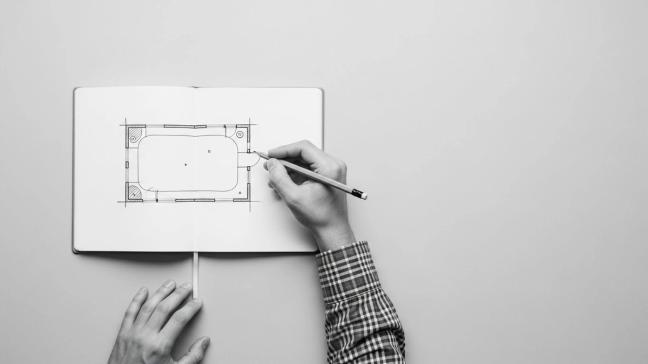
With room and components understood, the next stage is choreography. You need a layout in which everything works together.
Start with a simple plan. Mark on paper where the screen will hang, where you will stand, where the launch monitor will sit and where the projector or television will live. Measure the distances carefully. Think about cable runs from monitor to computer, from computer to projector, and from mains sockets to everything. The aim is to avoid the classic simulator hazard: a beautiful enclosure adorned with a chaos of wires that resemble an unreported health and safety experiment.
Frame the hitting zone. Imagine standing on the mat, looking at the screen. Check that nothing important sits in the peripheral vision that might distract you or meet an errant club head. Columns, shelving, light fittings and cars have all suffered in poorly planned builds. The simulator is not an appropriate place for the storage of what you actually care about.
Consider noise. A ball striking a screen in a concrete garage can produce a sound that would not be out of place in a minor military exercise. Ceiling insulation, carpets, wall panels and even soft furnishings will all help absorb sound and make the experience less alarming for whoever is upstairs. Your domestic popularity may depend on this.
Finally, think about ventilation and comfort. You may be swinging for an hour or more at a time. A room that begins snug can quickly turn oppressive. A small fan, an opening window or controlled ventilation is not indulgent. It is the difference between a satisfying practice session and an escape room.
Once the plan is convincing on paper, you can turn to the structure that will keep the ball obedient.
Most home simulators use a simple frame made from a metal pipe or a pre-fabricated enclosure. The goal is a rigid rectangle that stands slightly away from the wall, carries the impact screen at the front and supports netting to the sides and above. The screen itself is attached loosely, usually with bungee cords, so that it can deform under impact rather than behaving like a drum.
Side netting is not optional. Even competent golfers produce the occasional shot that explores the lateral extremes of the club face. Nets that extend well to the left and right, and ideally over the top, will catch these wayward efforts and stop them from reaching walls, lights or passing spouses. Where netting meets frame, add padding. Tubes of foam or fabric covers will soften any ball that finds an edge.
Floor-to-screen transitions are often neglected. If there is a gap at the bottom, balls can sneak through and ricochet off the wall behind, returning with considerably more enthusiasm than you intended. Ensure the screen overlaps the floor or sits just in front of a low barrier so that every shot is captured.
Once built, step inside the enclosure and imagine the worst shots you have ever hit. If you can see a plausible path for the ball to escape, your work is not yet finished.
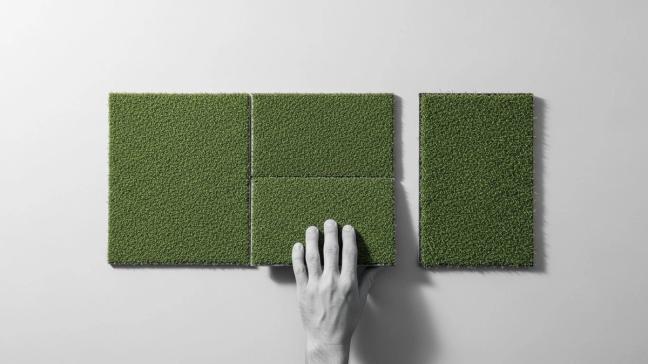
The floor of the simulator serves several purposes at once. It sets the visual tone, protects the room, cushions each strike and controls the behaviour of any ball that does not remain on the screen.
Begin with the hitting mat. It should be level, anchored and flush with any surrounding turf so there is no lip to catch your stance. Consider a stance mat on either side if left-handed players will use the system. The aim is to allow both orientations without dragging mats around like a stagehand between shots.
Around the hitting area, there lies artificial turf or dense carpet from the mat all the way to the base of the screen. This creates a continuous green, deadens bounce and gives the impression of a fairway rather than a warehouse. Underneath, a suitable underlay can soften noise and improve comfort underfoot.
If the simulator sits in a multi-purpose space, for example, a garage that still hosts a car, you may want modular flooring that can be removed or rearranged. Just ensure that whatever you choose does not slip, wrinkle or present trip hazards when you are focused entirely on that delicate wedge.
With the physical stage built, you can introduce the electronics. This is where the simulator sheds its net-and-screen humility and becomes something closer to theatre.
The launch monitor should be positioned exactly as its designer intended. Radar units behind the player need a clear view of the ball flight. Camera units in front or to the side must be aligned precisely with your hitting position. Take time over this. A few centimetres in the wrong direction can turn a hyper-accurate training tool into an enthusiastic guesser.
Projector placement is an exercise in quiet obsession. It must fill the impact screen without distortion, avoid casting a shadow when you swing and remain safe from backswings and misdirected balls. Ceiling mounting in front of the player is common. Short-throw models can sit closer to the screen, which reduces shadows. Once fixed, use the projector’s controls to square the image to the screen and fine-tune focus.
Connect the launch monitor to your computer, install the required software and select a simple practice range mode. Hit a few gentle shots and watch what happens. The ball should leave your club in the real world and then almost instantly begin its virtual flight on the screen. If the flight looks strange relative to your feel, revisit your alignments and calibrations before assuming that you have suddenly started hitting 60-yard slices.
Arrange your computer or console where you can reach controls between shots without contortions. Some players like a small side table with a mouse and keyboard. Others prefer a tablet as a remote. The important point is that you remain in control of the simulator without having to walk across cables or re-arrange furniture.
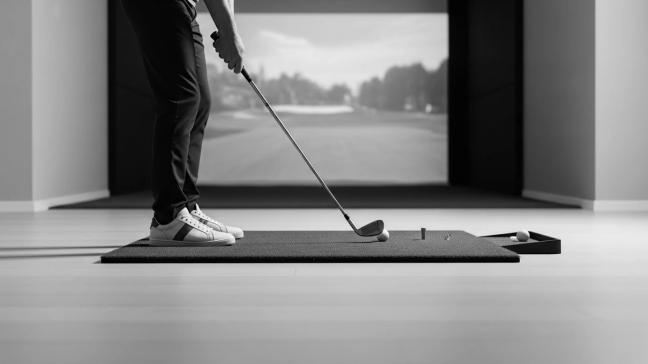
Once the system works, resist the urge to declare victory immediately. A simulator benefits from a period of quiet tuning.
Invite a friend whose swing is unlike your own. Watch where their balls travel on mishits. Adjust netting and padding where reality disagrees with your early optimism. Listen to the sound of impacts around the room. If certain surfaces ring like cymbals, add soft materials until they stop. Observe how far balls roll back towards the hitting area and deal with any that return with more speed than you find amusing.
Set some house rules. No full swings with unfamiliar guests without a brief orientation. No practice when small children or pets can wander into the firing line. No drinking while balancing on the computer. It may feel faintly absurd to codify behaviour for a practice bay in your garage, but then so does explaining a broken window to your insurer.
Finally, be honest about the purpose of the simulator. It is not just a toy. Done properly, it is a training ground. The system gives you data you never see on the range and the chance to solve problems with club path, face angle and strike in quiet privacy. Treated with respect, it will make you a better golfer. Treated as a novelty, it will make you one of those people who talk about their indoor simulator handicap in tones of tragic nostalgia.
To receive the latest in style, watches, cars and luxury news, plus receive great offers from the world’s greatest brands every Friday.